
Admin UI
The control plane serves the admin UI at /ui/ (with compose:
http://localhost:18081/ui/). Sign in with a control-plane user (for a new
install, ADMIN_EMAIL and ADMIN_PASSWORD), then pick one of your
organizations (GET /v1/organizations), or open one by id; the one created at
install is 00000000-0000-0000-0000-000000000001. The Flow page asks before
leaving with unsaved changes. The token
is kept in the browser tab's session storage and sent as a bearer token; the UI
uses the same /v1 API, roles and validation as any other client. English and
Vietnamese, light and dark themes, keyboard accessible.
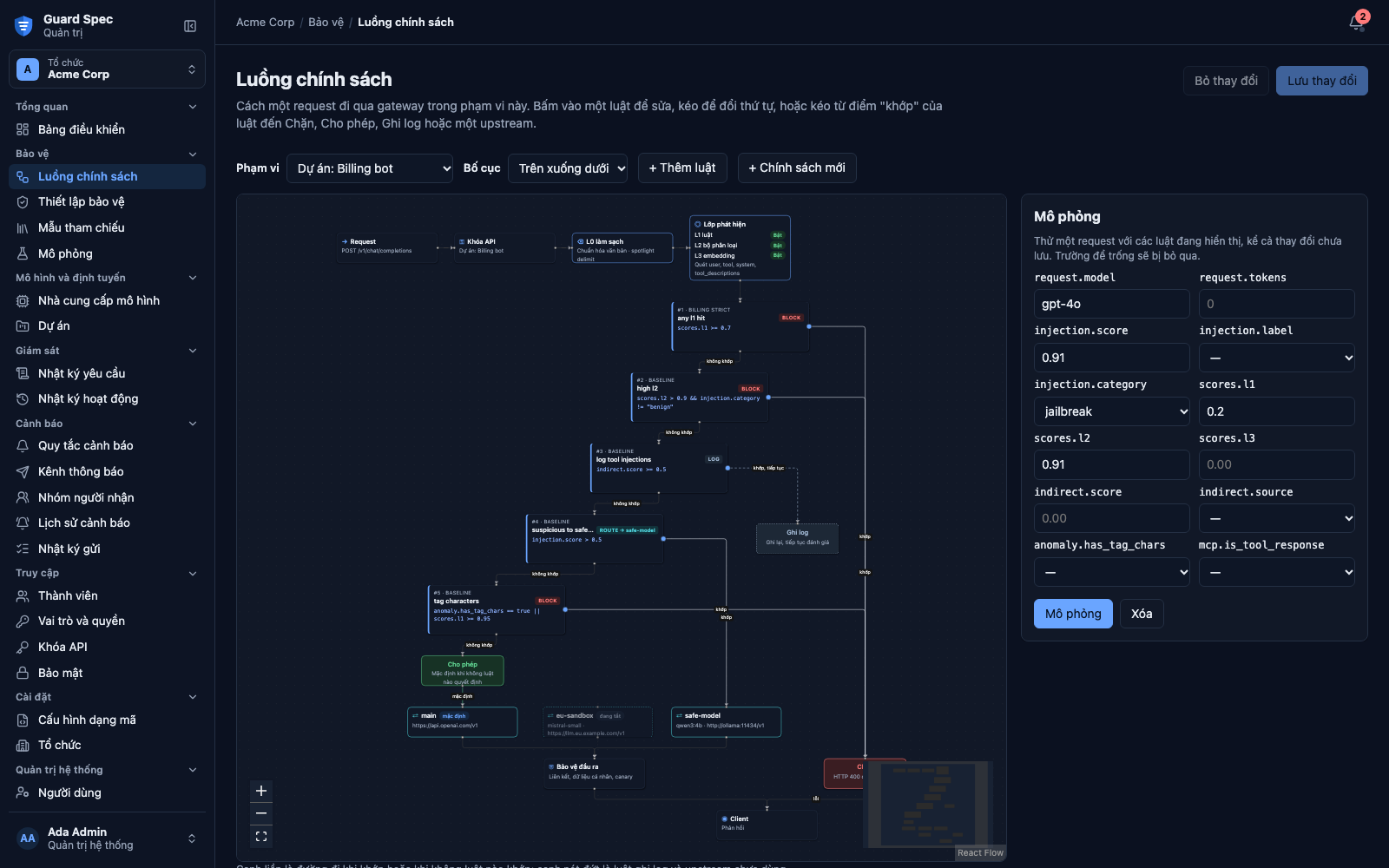
Flow shows how a request of the chosen scope (keys without a project, or a project) moves through the gateway: request, API key, L0 sanitizer, the L1, L2 and L3 detectors with the parts guard settings let them scan, then every enabled policy rule in gateway order, the Block, Log and Allow outcomes, the upstreams, the output guard and the client.
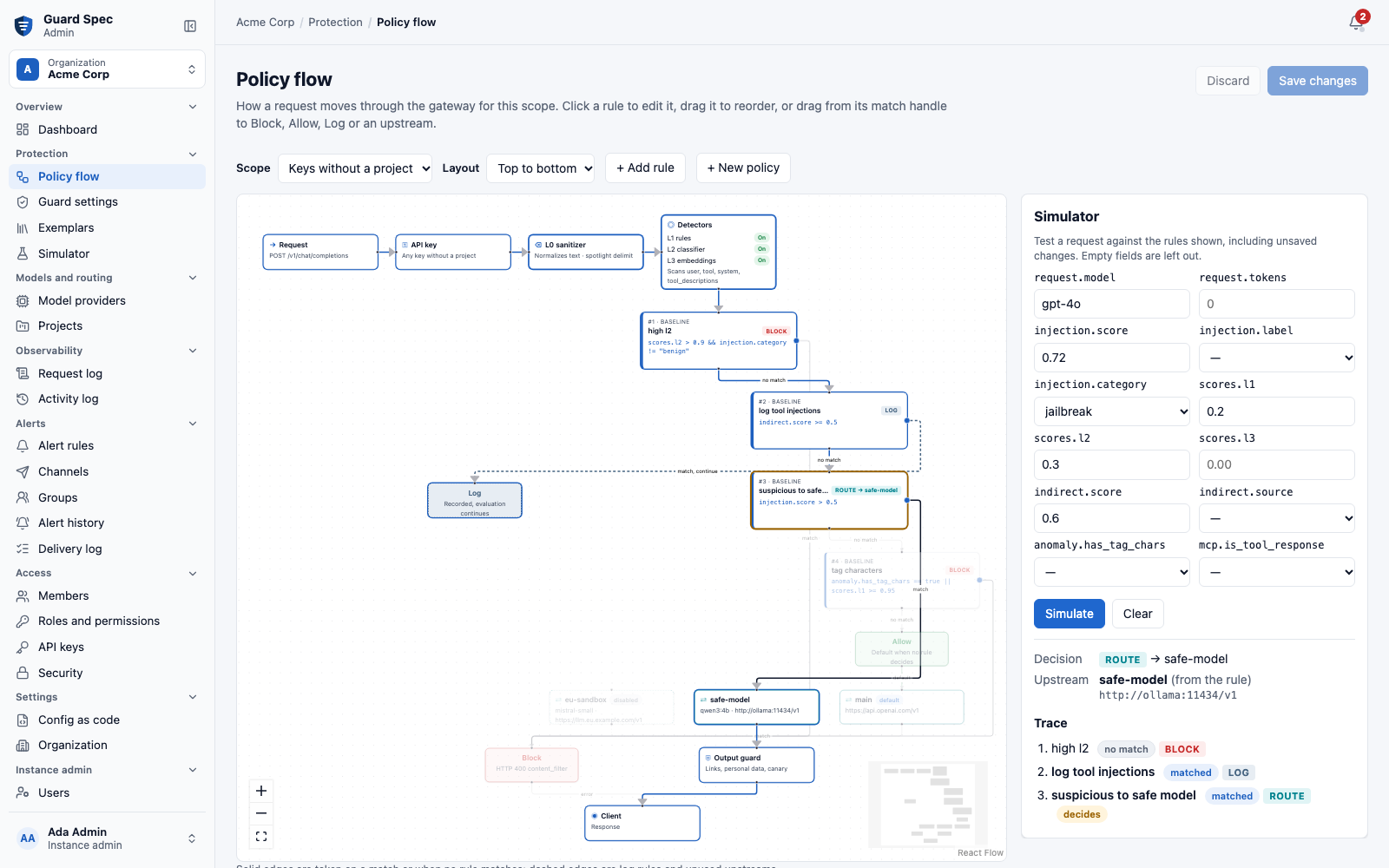
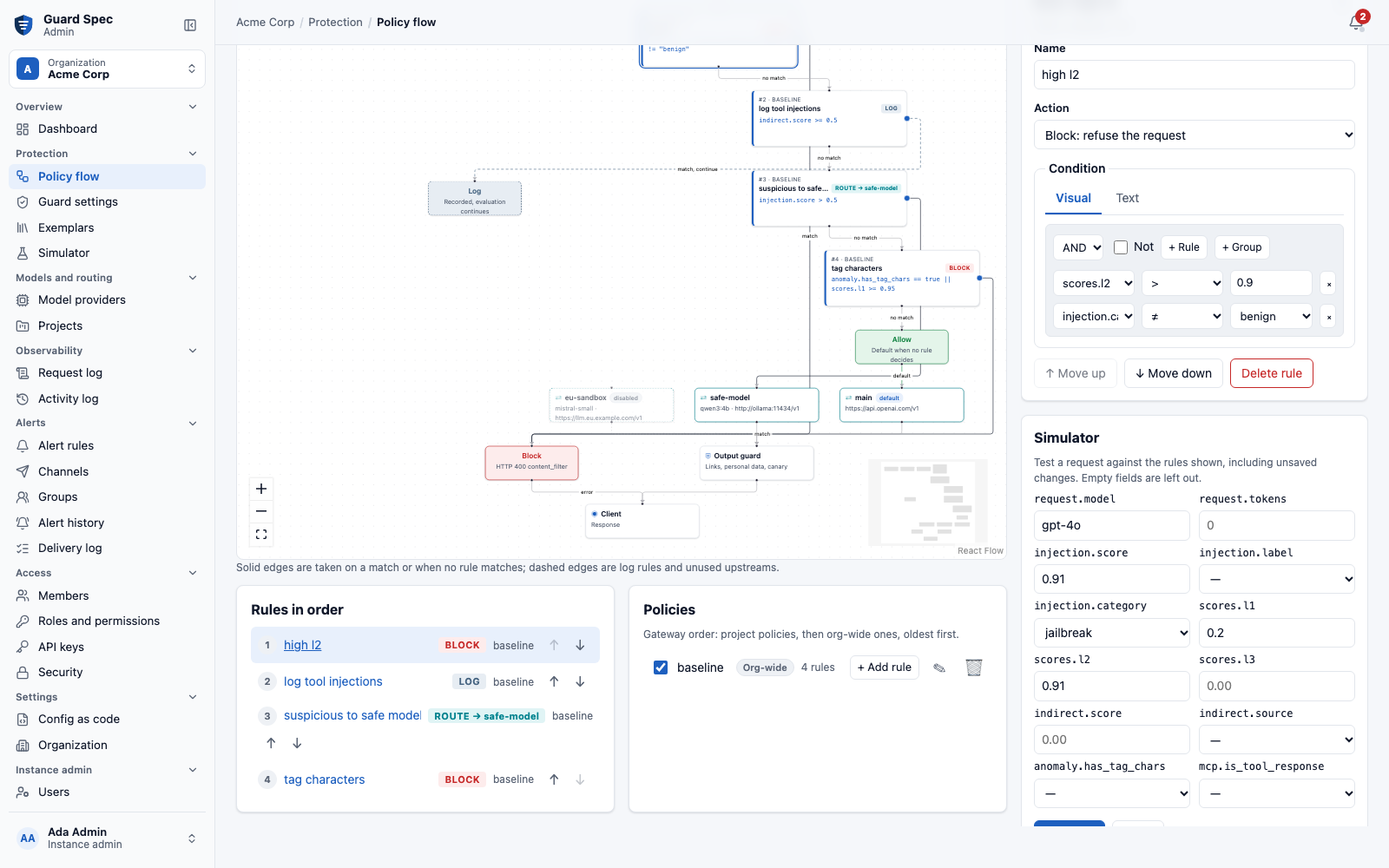
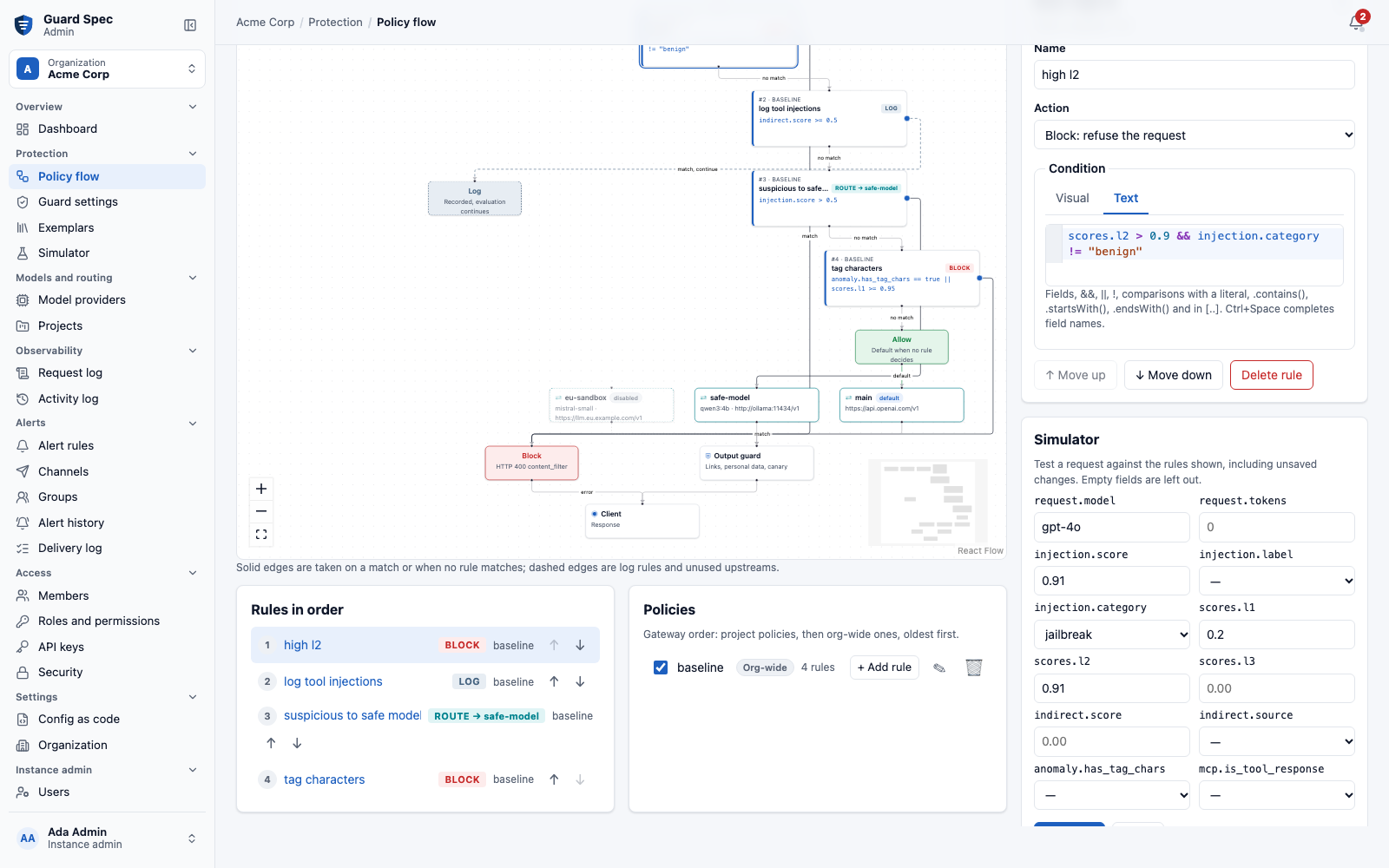
- Click a rule (or its entry in "Rules in order") to edit it. The condition
has a Visual tab (a query builder with the fields and operators of
GET /v1/policy/schema) and a Text tab (scores.l2 > 0.9 && injection.category != "benign"), kept in sync by/v1/policy/parseand/v1/policy/format; parse errors are marked where they occur. - Drag a rule up or down to reorder it within its policy (or use the arrow
buttons). Drag from a rule's round match handle to Block, Allow, Log or
an upstream to set its action; an upstream makes it a
routerule. - Add rules and policies, enable or disable policies, then Save changes. The server validates every rule; its errors are shown on the rule.
- The Simulator evaluates a request (scores, category, model and other schema fields) against the rules shown, unsaved changes included, highlights the path and lists every rule's outcome.
| Rule editor, visual | Rule editor, text |
|---|---|
 |
 |
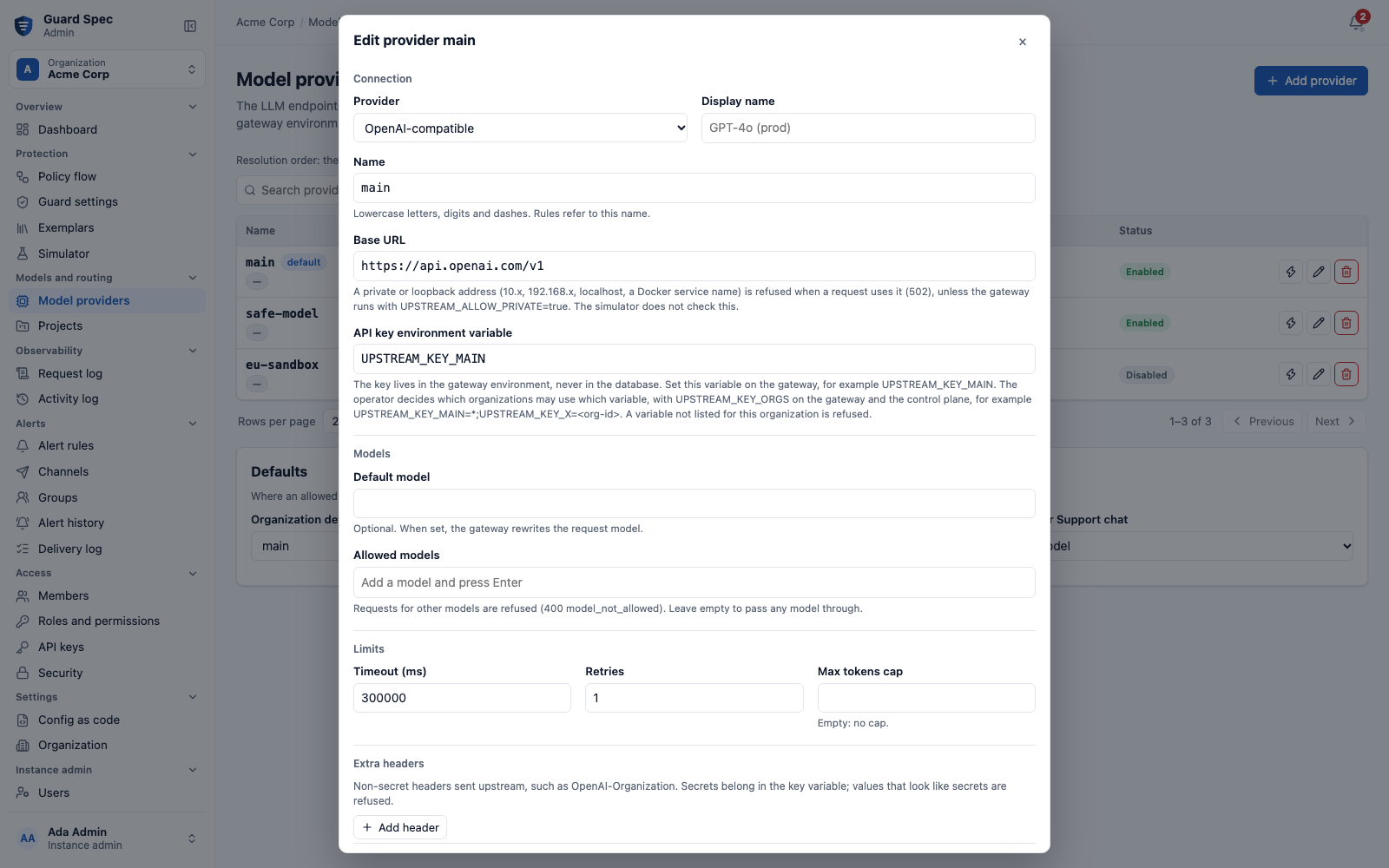
Upstreams manages the named upstreams and the org and project defaults.
An upstream's key is never entered in the UI: api_key_env names a
UPSTREAM_KEY_* variable set on the gateway, and the operator's
UPSTREAM_KEY_ORGS decides which organizations may use it; the form shows a
refused variable at the field.
Models shows the gateway's running classifier (and whether its files
matched the manifest), a notice when the manifest recommends another version,
the installed versions and the last reload, read through the control plane
(GATEWAY_URL). Below it, the shadow comparison: agreement rate, requests
where the candidate would block or allow differently (admins), and score
distributions. See Shadow mode and model reload.
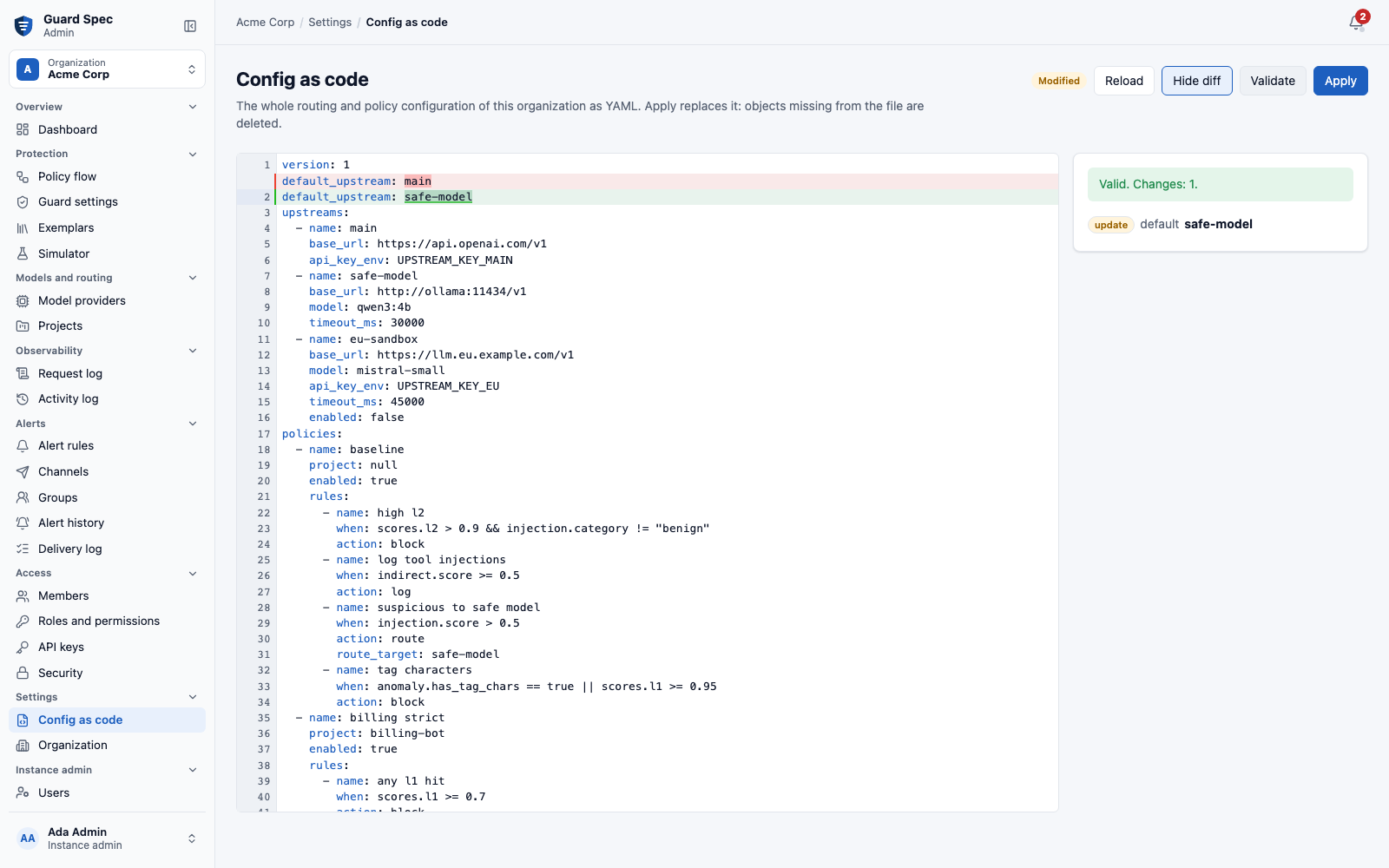
Config as code edits the whole routing and policy configuration as YAML,
validates it (?dry_run=true, errors by path, marked in the editor), shows a
diff against the loaded version and applies it after a confirmation that
lists the changes. When the stored policies cannot be exported as a file that
applies again (for example, a rule naming a removed field), the page lists
them, each linked to the policy and rule on the Flow page.
| Upstreams | Config as code |
|---|---|
 |
 |
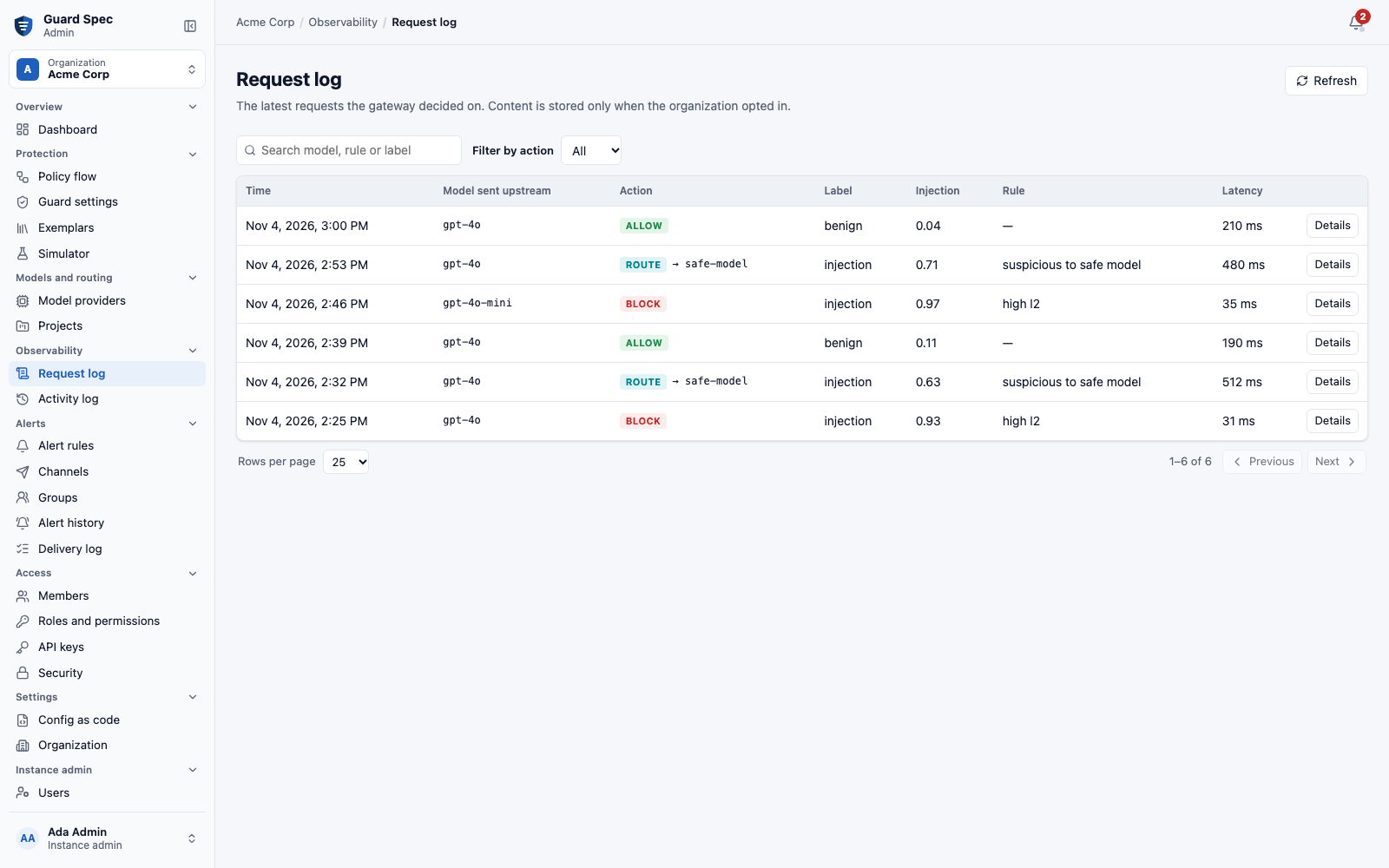
Guard settings, API keys (the secret is shown once, at creation), projects, exemplars and the audit log (with the route target of each request) have pages of their own.
| Dark theme, Vietnamese | Audit log |
|---|---|
 |
 |
The UI loads nothing from other origins and runs under the control plane's
Content-Security-Policy (default-src 'self', no inline scripts or styles);
the e2e tests run the production build under that policy and fail on any
violation. Screenshots are taken against the mocked API of the e2e tests
(npm run screenshots in web/).
Source: README.md#admin-ui @ ca69dad29f02